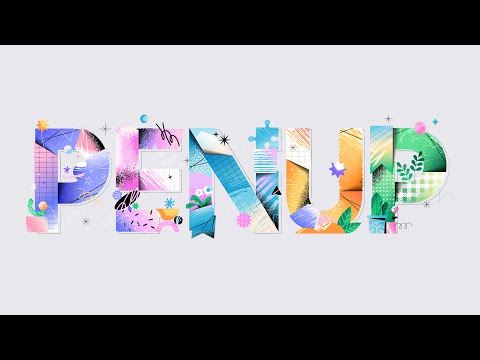

PENUP – Drawing-sharing SNS

star
224K reviews

Teen
info
100M+
Downloads


About this app
Enjoy a variety of pen-drawn content on PENUP. Share drawings of your thoughts and everyday life with friends all over the world.
• A variety of drawing features
Drawing made easy and fun for everyone. Enjoy coloring in a variety of coloring book pages. Choose from a range of great templates. Improve your drawing skills with Live Drawing (video drawing follow-along) and Photo Drawing (drawing with a photo aid). Test your skills through various drawing challenges.
• Enjoy drawing with friends
Share your drawings or appreciate other users’ creations on Trending Works. Comment on other users’ drawings and communicate on your creations.
-------------------------------------------------Regarding the App Access Privilege--------------------------------------
The following permissions are required for the app service. For optional permissions, the default functionality of the service is turned on, but not allowed.
[Optional Access Privilege]
- Storage : To upload a drawing to PENUP or download a drawing from PENUP (Android 9 or lower)
- Notifications : To notify about activities related to your drawing, followers, and people you're following (Android 13 or above)
If your system software version is lower than Android 6.0, please update the software to configure App permissions.
Previously allowed permissions can be reset on Apps menu in device settings after software update.
PENUP is an SNS where users communicate through drawings.
Updated on
Safety starts with understanding how developers collect and share your data. Data privacy and security practices may vary based on your use, region, and age. The developer provided this information and may update it over time.


Ratings and reviews
169K reviews

-Veresq-
- Flag inappropriate
November 21, 2026
great overall app, but I wish you could get a bigger canvas size than just 2400 * 2400. When you use something like a vertical flat nib fountain pen (in my case) it looks best at around 30% size, but then you can only fit like 5 letters on the whole canvas. so yeah, if you like doing tags/graffti, keep that in mind.
2 people found this review helpful

Moses Chukwukamnaene
- Flag inappropriate
November 16, 2026
I posted on the latest challenge" draw a mask ". I was the first person to post an art work ,my artwork was ranking First in the popular art, I posted around 5 mins after 1(1:05am) and I came back to check the artwork by 20 mins after 3 (3:20am)only to discover that it was not more unexisting in the popular one .this is the second time it has been done to me please, you should do something about this, it is so unfair. the name of my account is Gen.hunter and artwork is The Dark Masquerade .
3 people found this review helpful
Samsung Electronics Co., Ltd.
November 16, 2026
Hello, if there is a record of reports, it may be hidden. Please Contact us through 'Contact us,' and we will assist you. Thank you.

Mary Mary
- Flag inappropriate
November 5, 2026
Artboard keeps moving, there's no way to keep the artboard still when hand touches the artboard while drawing, it's missing a button to keep it in place. palm rejection is enabled but still happening. another issue is when I select a color in the wheel and go to draw there is a bug where the previous color still applies instead of the new picked color. And then a last issue is, the recorded drawing video plays in an awkward way, not smoothly but in a weird motion. Please address these issues.
7 people found this review helpful
Samsung Electronics Co., Ltd.
November 6, 2026
Hello, When you place your finger on the screen, it may be recognized as a zoom gesture, causing the canvas to move. Please note that placing your palm on the screen will prevent the canvas from moving. If you experience any issues while using the app, please contact us through 'Contact us' in the app. Thank you.
What’s new
• New brush added as drawing tool
App support
About the developer
삼성전자(주)
mobile.biz@samsung.com
대한민국 16677 경기도 수원시
영통구 삼성로 129 (매탄동)
+82 1588-3366


